Play Monster Hunter Now Without Moving! Free Android Spoofing Guide

by Jerry Cook Updated on 2026-09-23 14:31:39 / Update for Monster Hunter Now
As Monster Hunter utilizes Google Maps' location-sharing feature, if it doesn’t work properly due to technical glitches, your experience is ruined. Therefore, in this article, we discuss the best Monster Hunter Now spoofing Android free apps and methods to resolve this issue. How does it work, and is it safe? Let’s find out.


Part 1. Can you spoof on Monster Hunter Now Android? What are the risks?
Yes, you can spoof Monster Hunter Now location in your Android. In 2026, PoGoskill released a new version of its location changer supporting MHN on Android, but using it may involve risks. Some Android users attempt to spoof Monster Hunter Now by using:
- Fake GPS / mock location apps
- Developer Mode + mock location providers
- PC-based GPS override tools
- Root-based location spoofing (highest risk)
However, Monster Hunter Now is developed by Niantic, the same company behind Pokémon GO — and it uses similar anti-cheat and GPS validation systems.
Location spoofing is a direct violation of Niantic’s rules. Possible penalties include:
- Account warnings
- Temporary suspensions
- Permanent account bans
- Loss of hunters, gear, progress, and purchases
- Niantic does not refund banned accounts.
Part 2. 2026 Best Monster Hunter Now Spoofing on Android
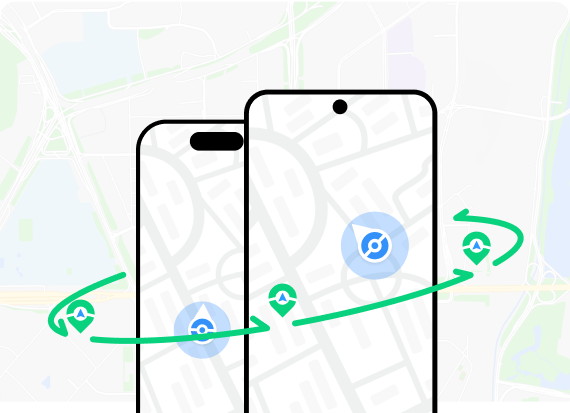
Spoofing in MHN violates the TOS and risks a ban, but controlling speed, distance, and cooldowns can lower that risk. PoGoskill Location Changer is a great tool for managing these factors.
PoGoskill's Joystick Mode allows you to simulate realistic movement routes with various speed options, such as walking or cycling. To effectively lower the risk of being detected for cheating, ensure you wait for the cooldown timer to expire before initiating your next move.
Key PoGoskill Location Changer Features:
- Easily change your location with a single click, no matter what your mobile device is.
- With the virtual fake GPS joystick enabled, you can get precise control over your avatar's roaming without setting foot outside your home.
- Explore the whole world through more games like Monster Hunter Now and social media platforms like Facebook, Tinder, Instagram, etc.
 Secure Download
Secure Download
Secure Download
How to Use PoGoskill to Spoof Monster Hunter Now on Android?
-
Step 1Download the latest update of the PoGoskill app from the button below and launch it.
-
Step 2Connect your device and configure the settings, then select Monster Hunter Now.
-
Step 3Enter the location you need for the best Monster locations on the search bar, which also supports coordinates, and click ‘Start to Modify’ to change your location.
Part 3. Effective Free Monster Hunter Now Spoofer Android
Of course. If you want to check out some other free Android GPS spoofers for Monster Hunter Now, I’ve got a few solid options for you. I've broken down the pros and cons for each, so you can pick whichever one works best for you.
- Platform
- Joystick Control
- Custom Route
- Cooldown Timer
- Recommendation
- Fake GPS GO
- Android
-

-

-

-


- iWhereGo MocPOGO
- Android/ iOS
-

-
-
-
- iMyFone AnyTo
- Android/ iOS
-
-
-
-
- Tenorshare iAnyGo
- Android/ iOS
-
-

-
-
1. Fake GPS GO Location Spoofer Free
Fake GPS GO Location Spoofer Free is one of the most well-known Monster Hunter Now GPS spoof Android apps available on the Google Play Store. It allows users to set a fake GPS location on their Android devices, making it particularly useful for location-based games like Monster Hunter Now.
Fake GPS Go Location Spoofer – Key Features:
- User-Friendly Interface: Easy to navigate, making it suitable for all users.
- Joystick Control: Offers joystick functionality for smoother in-game movement.
- Teleportation Capabilities: Allows users to instantly change their location with just a few taps.
- Route Planning: Users can create routes and import GPX files for more complex navigation.
Pros

- Lightweight and straightforward installation process.
- Compatible with Android 4.0 and later versions.
- Saves location history for easy re-selection.
Cons

- Some advanced features are locked behind a paywall.
- Users have reported that it can be easily detected by applications like Pokémon GO.
- Requires enabling "mock locations" in developer settings.
2. iWhereGo MocPOGO
iWhereGo MocPOGO is a powerful location spoofing application designed specifically for gamers who want to enhance their experience in location-based games like Monster Hunter Now. This tool allows players to change their GPS location effortlessly, making it possible to access rare monsters and items without the need for physical travel. With its user-friendly interface and robust features, MocPOGO has become a popular choice among mobile gamers.
Key Features of iWhereGo MocPOGO:
- Multiple Spoofing Modes: Choose from various modes such as Teleport, Two-spot, Multi-spot, and Jump Teleport to suit your gaming needs.
- Joystick Control: Utilize an intuitive joystick feature that enables smooth navigation and movement within the game environment.
- Customizable Speed Settings: Adjust your movement speed to mimic realistic walking or running, reducing the risk of detection by anti-cheat systems.
Pros
- Easy to navigate.
- Works seamlessly with a wide range of location-based applications.
- Does not require rooting your Android device.
Cons
- Risk of detection by the game’s anti-cheat systems if used irresponsibly.
- Require users to consider paid options for full functionality.
3.iMyFone AnyTo
iMyFone AnyTo is an excellent tool for Monster Hunter Now spoofing Android free by allowing them to spoof their GPS location easily. With its array of features designed specifically for gaming, it provides both flexibility and convenience.
However, users should always be mindful of the risks associated with spoofing and use the app responsibly to enjoy a seamless gaming experience. Whether you’re hunting monsters or exploring new areas, iMyFone AnyTo equips you with the tools needed to make the most out of your gameplay.
Key Featuresof iMyFone AnyTo:
- Customizable Speed Settings: Adjust your movement speed from 1m/s to 33m/s, providing flexibility in how you traverse the game world.
- Cooldown Timer: Built-in cooldown timers help prevent excessive location changes, reducing the risk of detection and potential bans from the game.
- Import/Export GPX Files: Save and manage your favorite routes by importing or exporting GPX files for easy access during gameplay.
Pros
- No need to root or jailbreak your device, ensuring safety and ease of use.
- Supports custom routes and joystick movement for realistic gameplay.
Cons
- The free version has limitations.
- Requires connection to a computer for full functionality.
4.Tenorshare iAnyGo
Tenorshare iAnyGo is a versatile GPS spoofing application designed for both iOS and Android devices, allowing users to change their location seamlessly. It’s particularly useful for players of location-based games like Monster Hunter Now, enabling them to explore the game world without the need for physical movement.
Key Features of Tenorshare iAnyGo:
- Change GPS Location: Easily set your device’s GPS location to anywhere in the world, allowing you to access different areas in Monster Hunter Now.
- Simulate GPS Movement: Move along a custom path or simulate walking, cycling, or driving speeds to make your gameplay more realistic.
- Joystick Control: Utilize an intuitive joystick feature that enables smooth navigation within the game environment.
Pros
- Straightforward user interface.
- Allows for flexible movement options and route planning.
Cons
- Free trial limitations.
- Requires installation on a computer.
Part 4. Tips for Safe Monster Hunter Now Spoofing on Android
Please observe these tips for safer monster hunting:
- Please don't change your location too soon lest the anti-cheat detect it.
- Respect the cooldown timer set by the game, which shows how naturally a player walks and runs. This means don't choose a location too far from you and gradually increase it.
- Keep on the lookout if you get any warnings. If you do, stop teleporting for a while.
Conclusion
Getting a good chance to be part of rare hunts is a treat in itself when you can use a Monster Hunter Now spoofing Android free to go anywhere you want. The key point is that you must respect different timers and cooldowns so you don't get banned. Furthermore, finding a reliable, stable, and secure app to spoof is paramount, and you can best get through PoGoskill Location Changer. Download the app today and see how streamlined the experience is.
 PoGoskill
The Best Location Changer


 18.6K
18.6K
Reviews
 36.8K
36.8K
Downloaded Users
 Jerry Cook
550+ Articles
- Fix Gaming Problems
- AR Gamer
- Location Issues Technist
With a wealth of knowledge and experience, Jerry Cook has helped over 10,000 gamers conquer their gaming challenges. His expertise in resolving gaming problems is unparalleled.
